Well, Nikon usually does this, but this is the first time I have noticed that Canon is updating its older generation of compact cameras. The latest firmware update for the Canon PowerShot G7 X Mark III and Canon PowerShot SX740 HS actually addresses a long-term user request for enhancing the performance. And obviously, these updates, which have been made to the SX740 and Canon G7 X III are not minor ones. The update is an attempt to make these cameras more relevant in today’s hybrid shooting landscape. If you’re a vlogger, travel photographer, or casual shooter holding onto these gems, this is the upgrade you’ve been waiting for.
So, let’s explore what’s new and what changes have been made with the latest set of firmware updates.
Why These Firmware Updates Matter in 2025
Canon PowerShot G7 X Mark III was announced back in 2019, and the Canon SX740 HS camera was announced in 2018, so obviously, they are not new, and more than 6 to 7 years have passed since their announcement. But still, they are very popular, and the demand is so high that they are right now being sold at 2X to 3X more price than their original price, since Canon had stopped manufacturing these compacts a while ago.
But the good thing is that recently Canon has restored the manufacturing of both the compacts, and very soon we will have them in stock at a normal price tag.
And the most interesting part is, despite the old announcement, the G7 X Mark III camera uses a 1-inch stacked CMOS sensor and 4K video recording capabilities with a very user-friendly display screen and built-in microphone input for clear audio. So, it is still one of the best and perfect cameras for content creators who love to have a dedicated compact camera for content creation and are not interested in investing in system cameras. Other than that, we also have the Canon SX740 HS packs a punch with 40x optical zoom and 4K recording in a pocketable body, ideal for travel adventures.
But as battery tech advances, users demand better options. Enter Canon’s latest firmware: support for the NB-15L Battery Pack, a higher-capacity alternative to the standard NB-13L. This isn’t just about longer shoots; it’s about future-proofing these cameras amid rumors of successors like the teased G7 X Mark IV and SX750 HS (as covered on The New Camera).
Breaking Down the Canon PowerShot G7 X Mark III Firmware Update
Key Changes in Version 1.4.0
NB-15L Battery Pack Support: The headline feature. Swap in the NB-15L for extended runtime during 4K streams or burst shooting. No more mid-vlog battery swaps—essential for content creators.
Improved Compatibility: Updating the core software to make it flawless and get connected with Canon’s ecosystem, including updated Camera Connect app features for wireless transfers.
Download the file to your computer’s SD card reader (ensure your card is formatted in-camera).
Insert the card, power on the camera, and follow the on-screen prompts. Backup your settings first!
For more on why the G7 X Mark III remains a 2025 must-buy, check The New Camera’s back-in-stock guide, highlighting its limited production run and renewed availability.
Canon PowerShot SX740 HS Firmware Update: Zoom into Stability
Key Changes in Version 1.3.4
NB-15L Battery Pack Support: Like its sibling, the SX740 HS now embraces the higher-capacity battery,
Enhanced System Stability: Canon fixed minor glitches, flawlessly compatible with the new addition of the app
Prep your SD card and camera as above. Test the battery swap post-update for peace of mind.
Dive deeper into its enduring appeal with The New Camera’s Amazon stock alert, calling it a “last chance” for this zoom beast before potential successors.
Final Thoughts: Upgrade Your Canon Classics Today
Canon’s firmware updates for PowerShot G7 X Mark III and SX740 HS prove that great cameras only get better with age. The NB-15L support actually extends their lifespan, and the latest updates making them more stable. If you’re eyeing a restock or just dusting off your kit, now’s the time—grab the downloads and hit record.
For the latest on Canon’s compact lineup, including potential Mark IV announcements, bookmark The New Camera and SX740 HS tags. What’s your favorite feature on these cameras? Drop a comment below—we’d love to hear!
Sources: Canon Rumors, The New Camera, Canon Support (November 2025).
Keywords: Canon G7 X Mark III firmware update 2025, SX740 HS battery support, Canon compact camera updates, best travel cameras 2025, G7X Mark III restock.
Finally, we have the DJI Osmo 360 receiving new firmware updates, adding new features to this small and wonderful camera. The DJI Osmo 360 was announced on July 31, 2025. DJI Osmo 360 is DJI’s first groundbreaking 8K 360 camera. We have created a detailed guide on how to update the Osmo 360 firmware seamlessly. And we have also added a video in the content so it will help you to see how to do the firmware update visually.
With the recent update in September 2025, the latest firmware running on the Osmo 360 is v01.01.06.41. The latest firmware had a smooth capturing experience as well as new innovative features added, like the twist-to-selfie mode—just twist the camera and it will take the selfie automatically with the help of a built-in gyro sensor. Now, if you are searching for how to update the Osmo 360 firmware, you have come to the exact right place, since we are now going to describe the step-by-step guide, but even before that, the big question is:
Why Update Your DJI Osmo 360 Firmware?
Firmware updates are not new; every camera maker, in general, and drone makers like DJI, do regular firmware updates to improve the existing technology and fix bugs, also to enhance overall battery life and compatibility with accessories. Now, with the recent update in the DJI Osmo 360 (version v01.01.06.20), DJI added SuperNight mode for extreme low-light shooting, so that’s an added advantage Osmo 360 users are getting in terms of low-light performance after purchasing the camera. Apart from the better low-light performance, better battery management has also been added so that in standby mode, your battery doesn’t get exhausted.
If you skip these updates, it means you are missing some critical fixes as well as upgraded features. After the announcement of the DJI Osmo 360, users reported about file security issues as well as video warping issues, which were all fixed with the recent update.
Prerequisites Before Updating Osmo 360 Firmware
Before you start to update your Osmo 360 camera, you need to follow these steps to ensure a flawless update:
Charge Your Device: Ensure your device is fully charged or at least has more than 50% battery, otherwise the update will fail.
Update the DJI Mimo App: Also, make sure that you are using the latest version of the app on your smartphone (v2.3.0 or higher) from the App Store or Google Play. With the recent updates in the app, you get add-ons like enhanced exposure control and new shooting modes.
Stable Internet Connection: Ensure you have a good Wi-Fi signal while downloading the update; a weak signal may take longer than expected.
Backup Your Data: DJI recommends backing up your existing recording files before you proceed with the update, since updates can sometimes cause issues—back up your footage to avoid loss.
Compatible Device: The app works on iOS and Android smartphones; if you’re using a Mac or Windows, you first have to download the firmware update in the form of .bin files to your device by visiting the Osmo 360 download page.
If you’re using accessories like the battery handle, note that they may require separate updates through the same app. Always read the instructions carefully before making an update.
Step-by-Step: How to Update Osmo 360 Firmware
The primary and best method for updating the Osmo 360 firmware is through the DJI Mimo app—it’s completely automatic, and very minimal manual intervention is involved.
1. Power On and Connect the Camera:
Turn ON your DJI Osmo 360.
Enable Wi-Fi on your smartphone.
Open the DJI Mimo app and log in to your DJI account (create one if you don’t have it).
The app should detect the camera automatically. If not, follow the on-screen prompts to connect.
2. Check for Updates:
Once the app is connected with the camera, on the home screen of the app, you will get a notification at the top (push notification) if new firmware arrives. It automatically checks for firmware updates and alerts you if one is available (e.g., for v01.01.06.41).
Tap on the notification, but before that, make sure your Osmo 360 battery is more than 50%.
3. Download and Install:
Tap on “Download” and within a few minutes it will complete.
Once downloaded, tap on the “Install” notification and follow the on-screen instructions. Keep the camera and phone close (within 10 feet) to maintain a stable connection.
The firmware update process of the Osmo 360 takes about 5-10 minutes. Do not power off the device, try filming, or close the app during this time—just follow the instructions.
4. Verify and Restart:
Once the installation is complete, the camera will restart automatically.
To cross-check if the update was successful, reconnect to the app and check the firmware version in the settings (under “About” or “Device Info”) to confirm it’s updated.
Test the camera with a quick shoot to ensure everything works.
5. For Manual Updates (if app method fails):
Visit DJI Osmo 360 Downloads.
Download the latest .bin file.
Copy it to the root of a formatted Micro SD card.
Insert the camera, power on, and follow prompts.
This method is less common for the Osmo 360 but is useful for troubleshooting.
New Features in the Latest Osmo 360 Firmware (v01.01.06.41)
DJI’s September 2025 update brings exciting enhancements:
Twist-to-Selfie Mode: With hand movement, a simple gesture turns camera twists into instant selfies for dynamic 360° content.
Improved Battery Optimization: Fixed the standby battery drain issue. Now with the latest update, runtime is extended—especially if you’re using the Battery Extension Rod (firmware v1.1).
SuperNight Mode (from v01.01.06.20): This update upscaled the performance of the camera—clearer images, better color reproduction, and improved noise reduction.
App Integrations: Fewer sync issues, smoother connectivity, and new editing tools in Mimo.
User wishlists on forums highlight requests for advanced features like exposure controls and better integration with DJI drones.
Troubleshooting Common Osmo 360 Firmware Update Issues
If things go wrong during your Osmo 360 firmware update:
Update Fails or Freezes: Stay calm, restart the camera and app, and retry. Turn off Wi-Fi and Bluetooth connectivity with your device before restarting. Ensure no interference from other Bluetooth devices during the update.
No Update Prompt: If your app isn’t showing the update notification, check app permissions on your smartphone. If it still doesn’t show, manually download the latest firmware from DJI’s site.
Connection Issues: Bluetooth-based updates take much longer, so it’s highly recommended to use Wi-Fi during the update process.
Post-Update Issues: Users report occasional warping or freezing— a factory reset often fixes this.
Battery Drain: If the update drains power quickly, plug in during installation to prevent accidental shutdown.
App Download Errors: Clear cache or switch networks. For persistent problems, contact DJI support or check forums like Reddit’s r/djiosmo360.
Better to watch the video we have added on how to update the firmware via the app before proceeding.
FAQ: How to Update Osmo 360 Firmware
How long does the update take? While using Wi-Fi and keeping the camera within the range of 10 feet of your smartphone, it will take about 5-10 minutes, plus download time.
Is the update free? Yes, all DJI firmware updates are free. They never ask for money, even for major performance-enhancing updates.
Can I update without the app? Yes, you can download the .bin files to your Micro SD card and then install, but updating from the app is recommended.
What if my camera bricks? Rare, but if it happens then you must contact the DJI support team via their official website. They can guide recovery—have your serial number ready.
How often does DJI release updates? Monthly for new products like the Osmo 360, based on user feedback.
If you want to do Manual update and not from the DJI offical app, then here is the DJI Official website to download the firmware update: www.dji.com/global/360/downloads
Keeping ur OSMO360 Camera updated is highly essential to keep enjoying the camera to its MAX potential. If you follow our guide on how to update Osmo 360 firmware for your new Osmo 360, you will get features like SuperNight and twist-to-selfie without hassle. Stay tuned and stay updated
GET LIVE NOTIFICATION, Select Your Trusted Source GET LIVE NOTIFICATION Click ON Check BOX for Latest NEWS and Rumors
The article “How to Update DJI Osmo 360 Firmware: Step-by-Step Guide (2025)” was written by thenewcamera.com team on 7:32 pm, Wednesday, 3 September 2025, Greenwich Mean Time (GMT) | You can also follow us on Our Official Social Media HandlesFACEBOOK | TWITTER | INSTAGRAM to get live news — > Camera News and DJI Rumors
Sony has just rolled out a massive firmware update for its most popular cinema cameras—the Sony FX3 and the Sony FX30. So, this is not a minor tweak. In this article, we are going to explore the major changes that will be made with these firmware updates. We have directly taken official update data from Sony.com, and we are highlighting here the major advantages of the new firmware compared to the previous versions we have in the Sony FX30 and the FX3 cameras.
Yes, the new firmware update that we are getting does bring a major change, which includes user interface improvements, advanced shooting modes, RAW output capabilities, and seamless cloud connectivity. They actually listened and addressed real pain points for pros shooting with Sony FX3 and FX30 cameras in fast-paced environments. These updates will potentially save time, reduce errors, and open new creative doors.
We all know that the Sony FX3 and FX30 are already workhorse cameras, but after this update, they will become, for sure, cinematography monsters. So let’s see the list of updates we have with the new firmware:
1. A Revamped Home Screen: Streamlining Your Pre-Shoot Workflow
One of the biggest advantages with this new update is we have a new dedicated home screen dubbed as BIG6. In the BIG6, you have all the important shoot settings in front. In the BIG6 boxes visible in your frame—starting from the left, it’s FPS; in the next box, there is ISO; and on the extreme right, we have shutter speed.
Now in the bottom part, again starting from the extreme left, we have the lens aperture setting, the LUT you are using, and finally, the white balance.
It is really helpful if you are busy in a high-stakes documentary shoot or doing cinematography. It’s not always easy to jump into the Sony complex camera menu system and bring out and edit each of your workflow settings. So this gives you, on-screen, all the available settings at a single glance, and the chances of error become very low. At the very same time, the camera becomes a run-and-gun camera which directly boosts productivity that allows creators or cinematographers to focus on storytelling, mood of the shot instead of diving into the menu system of your camera.
2. Enhanced Slow & Quick (S&Q) Modes: Greater Creative Control Without the Hassle
Adds a Fixed/Variable mode that supports S&Q shooting settings by directly specifying the shooting frame rate without needing to set the S&Q mode.
Sony has now introduced a fixed and variable mode for S&Q shooting, now letting users specify their frame rates directly without jumping into the dedicated menu. So now you have the freedom to select your maximum frame rate that is available only in S&Q settings, in your existing shooting mode. It means whatever mode you are using, the S&Q maximum frame rate is now available to you.
So this particular update expands the high-frame-rate capabilities of your camera. Once the update is done, you don’t have to switch to different modes and break your shooting flow. You can upskill the setup to a maximum extent available—like directly jumping from 24 FPS to 120 FPS in 4K with the FX30 camera without interrupting the workflow.
3. Focus and Monitoring Upgrades: Precision for Demanding Shoots
The update adds 1.5x and 1.6x magnifications to the De-Squeeze Display. The Focus Magnifier and the Auto Magnifier have now been added to the anamorphic De-Squeeze mode. So whether you are shooting with 1.5x or 1.6x lenses/options for discreet display, you now have the ability to magnify the focus area while you are in Manual Focus mode. That ensures a tack-sharp focus without any guesswork.
Adds support for the Focus Magnifier and Auto Magnifier in MF settings while using the Bright Monitoring feature. The Bright Monitoring integration actually means you can magnify extremely dim light areas—a huge win over older firmware where this was limited. This advantage shines when you are involved in professional workflows/projects, and where precise focus can make or break a shot.
4. RAW Video Output Revolution: Blackmagic RAW via HDMI
Many of the Sony users who were buying these professional cameras were asking why Sony is avoiding Blackmagic RAW. But now, Sony has finally listened to all of you, and you can get Blackmagic RAW from both the FX30 as well as the Sony FX3 via the HDMI port. So it actually opens the door to external recorders like the Blackmagic Video Assist to record the video. The other advantage also includes a massive jump in color grading and post-production.
5. List of Additional Updates Added to Both Cameras
Allows the camera to automatically recognize the USB-LAN conversion adapter (sold separately) and connect to the network when powered on
Allows the remaining capacity of both storage devices to be displayed during movie recording when using Simult. or Auto Switch Media (Relay Recording)
Allows the optical density of pre-registered ND filters to be recorded in the metadata
Allows the filtering of camera images for smartphone transfer and FTP transfer using Clip Flag
Allows the direct upload of camera videos to Creators’ Cloud based on OK/NG/KEEP flags
Settings must be adjusted in the Creators’ App in advance. For more information, please visit the Creators’ App support website.
Ver. 3.1.0 or later of the Creators’ App is necessary.
This service may not be available in some countries or regions.
For more information, please visit the Creators’ Cloud support website.
6. Supports the Following Monitor & Control App Functions:
Manual framing function
Attach Clip Flag
Notes:
Ver. 2.4.0 or later of the Monitor & Control app is necessary.
The Monitor & Control app may not be available in some countries or regions.
7. Security & Stability:
The Security (IPsec) functionality is no longer supported. Please enable and use Access Authentication as it provides more secure protection
WPA and WEP functionalities are no longer supported. You will no longer be able to select WPA or WEP when connecting to Wi-Fi. Please use the more secure WPA2 or WPA3 moving forward
Improves the operational stability of the camera
This firmware is not just a normal firmware update — this is a complete transformation of your Sony FX30 and Sony FX3 camera into a Sony Venice-style professional cinematography camera. It exploits the camera hardware to its maximum potential available, addressing user feedback for a better user interface, creativity, and integration of all the key major features possible at this moment with the available set of hardware performance.
So this major update will give the two Sony cameras a competitive edge over other rivals in the $5,000 cinema camera range available from different brands. And the best part is — the firmware update is available for free; you don’t have to pay a single penny to download it.
We are very much excited to share this update with you, and at the very same time, we are also excited to know — have you installed it? And what are your experiences with this latest update? Let us know in the comments section!
Hope you enjoyed reading this article, At TheNewCamera.com, we’re dedicated to keeping you informed about the latest camera news. The article “Unlock Pro-Level Filmmaking: Sony’s Massive FX3/FX30 Update Is a Must-Have for Creators” was published on 10:31 am, Tuesday, 26 August 2025, Greenwich Mean Time (GMT) by thenewcamera.com team | Follow us on our social pages FACEBOOK | TWITTER | INSTAGRAM to get live Camera News + see moreSony Alpha Rumor
Sony A6700 is one of the best APS-C flagship cameras of 2025. The camera has received a significant firmware update that enhances its overall functionality and improves the user experience, and boosts its performance. This particular version 2.0 firmware update is kind of an essential update for your A6700 camera.
The camera features a 26-megapixel APS-C CMOS sensor and an inbuilt sensor-shift image stabilization system supported by Active IS for video work. One of the best cameras for professional videographers, cinematographers, and photographers, too. We have already made a best lenses buying guide for the Sony A6700 camera — you can check it here — and also comparisons with others.
Take a look at the set of upgrades we have inside the Sony A6700 camera.
The maximum number of images that can be stored in one folder is now 9,999.
Improved image quality when using User LUT.
Wi-Fi signal strength is now displayed.
You’ll now be notified if new camera software is available.
You can now shoot new footage while transferring footage you’ve already shot to your smartphone or tablet. Please update the Creators’ App to the latest version (ver.2.9.0 or later).*
Transfers to smartphones and tablets can now be resumed even if they are interrupted midway. Please update the Creators’ App to the latest version (ver.2.9.0 or later).*
You can now transfer only the differences that have not been transferred to your smartphone or tablet, and add videos to transfer while transferring. Please update the Creators’ App to the latest version (ver.2.9.0 or later).*
You can now upload images from your camera directly to Creators’ Cloud. You must first set it up in the Creators’ App. For details, please click here.
Please update the Creators’ App to the latest version (ver.2.9.0 or later).
This service may not be available in some countries or regions. For details, please click here.
“WPA” and “WEP” functions are no longer supported. You can no longer select “WPA” or “WEP” when connecting to Wi-Fi. Please use “WPA2” or “WPA3” in the future, which have higher security.
On April 16, 2025, Sony released firmware updates for ZV-E10 Ver.2.02, ILCE-7M3 Ver.4.02, ILCE-7RM4A Ver.1.11, and ILCE-7C Ver.2.01.
Benefits and Improvements
Allows the camera to display a notification when new software is available
WPA and WEP functionalities are no longer supported. You can no longer select WPA or WEP when connecting to Wi-Fi. Please use the more secure WPA2 moving forward
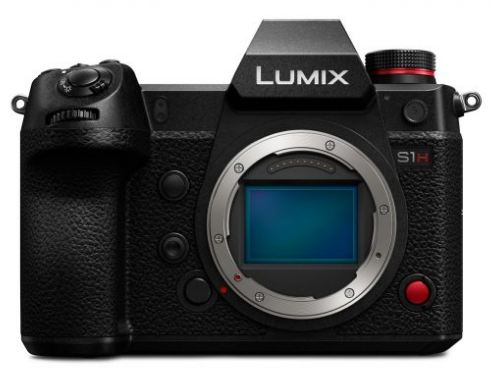
Panasonic S1H camera gets a firmware update, the main update is minor, the camera adds a popup message when using a Panasonic collapsible lens to alert users, and improves the overall stability of the response speed of the camera.
One of the best budget cameras to record 6K open-gate recording, earlier or when it was announced, there was a 4K 15-minute recording limit in the camera, and for which it was criticized at the time of announcement. But Panasonic listened to us, and on October 9, 2024, they released their first firmware update, version 1.1, and they removed the recording limit. Now, it does not have any recording limit in 4K 30fps mode or even in open-gate recording as long as your memory card isn’t full or the camera doesn’t face any kind of overheating issues.
But again, practically, the overheating performance of this camera is very good, and users are quite happy with the usage of this camera. Just keep in mind the camera is using the first generation of hybrid autofocus similar to what was used with the Panasonic S5, S5II, and S5IIX, so autofocus tracking is not on par with Canon and Sony cameras.
In the latest firmware update, version 1.3, they have again tried to optimize the overall operational speed of the camera. Additionally, they fixed a problem where when connecting to a Wi-Fi network, the password was always required. Now, it has become a one-time entry, so overall connectivity performance has been improved along with the operational speed of the camera.
– When directly connecting the camera and smartphone via Wi-Fi, the connection has been changed to always require password authentication. (The [Wi-Fi Password] menu has been removed.)
– The [TKIP] encryption method is no longer supported when connecting to Wi-Fi via an access point.
– The [No Encryption] option in network authentication is no longer supported when connecting to Wi-Fi via an access point.
– The image transfer feature to PC via Wi-Fi has been removed. (Only European/Ukrainian models)
Other improvements
– The startup speed when powering on has been improved.
Buy Canon Lenses, Buy Music CD or Digital Camera at amazon it helps this site, and you do not pay anything extra, it is just a way to help support this site.
New Camera Website, we list all type of new camera information, price review and all type camera rumors, subscribe us or follow us via twitter or facebook.
Disclaimer: We have attempted to select useful information to include on New Camera, and to ensure that the resources we have included on the site -- as well as the way we have described them -- are accurate, fair, and balanced. However, we make no claims, warranties, or other representations concerning the accuracy, completeness, or utility of the information provided, or concerning the abilities or performance of the organizations, agencies, companies, and other resources presented through New Camera


 BOX for Latest NEWS and Rumors