Join More Than 50,000+ Subscribers and get latest camera news and rumors
NEW CAMERA VIDEOS ON YOUTUBE
|
By admin, on August 27th, 2025

Nikon has done a tremendous job with this update. They have integrated dedicated EHANCED bird mode autofocus, and that was quite obvious since the camera is using the latest generation of partially stacked CMOS sensor and Expeed 7 image processor. But what they have additionally added is an auto capture mode so you have to just set your Nikon Z6 Mark 3 camera on tripod in a bird sanctuary and just pre configure the auto detect setting, and take a nap while your camera shoots the flying birds, This setting is highly usable and specifically very effective in while ur doing Birdography near ponds and lakes, acutomatically capturing them when they are taking off the flight will be an amazing experience in the auto mode.
Specifically, when we discuss key accuracy, the latest update has further fine-tuned the Bird AF Mode; the algorithm is now more effective in capturing fast and small bird moments. They specifically worked on capturing hummingbirds in flight, as they’re very quick in flight, and raptors, in motion. With this upscaled algorithm, we now have a more precise AF mode at work, making the camera foolproof for capturing birds in flight.
 The updated bird detection should increase the Z6III’s accuracy when it’s tracking small, fast birds, or species that don’t look all that similar to other birds. Another major update is Focus Limiter, with this you can define the exact focus area the camera should not take care specific distance, for example ignore the foreground branches 15 to 20 m away from the cam, you have to just put a sort of distance in the settings of the camera the software based tool works in its own way, camera does autofocus mapping and here you go, it is also very much useful when you are shooting wedding in overcrowded situation.
So , these are the major updates, and obviously, the Nikon Z6 III (with Firmware 2.0) has become the best Nikon camera for both photography in 2025.
Download the update from here – Nikon’s Official website You can download it for free now.
Let’s have a look at the regular press release of the Nikon Z6 Mark 3 firmware 2.0 update.
The article “Nikon Z6 III Firmware 2.0: Revolutionizing Bird Photography with Hands-Free Auto Capture for Flying Birds” was written by thenewcamera.com team on 7:05 pm, Wednesday, 27 August 2025, Greenwich Mean Time (GMT) | Follow us for more updates and Get LIVE RUMORS –> FACEBOOK | TWITTER | INSTAGRAM to get live news — > get live news + Nikon Rumors 24X7
Nikon Z6 III Firmware 2.0 Official Press Release
NIKON RELEASES FIRMWARE VERSION 2.00 FOR THE NIKON Z6III FULL-FRAME MIRRORLESS CAMERA
MELVILLE, NY (August 27, 2025) – Nikon Inc. is pleased to announce the release of firmware version 2.00 for its full-frame/FX-format mirrorless camera, the Nikon Z6III. This marks the first major update since the launch of the Z6III and introduces several features equivalent to those found in the flagship Nikon Z9 and Nikon Z8.
With its already incredible high-speed performance, this firmware update adds the long-awaited [Birds] mode to subject detection, offering an enhanced shooting experience for both still and videos. Plus, the Auto Capture function now enables automatic shooting under pre-configured conditions, supporting flexible shooting styles tailored to various situations.
Additionally, for the first time for a Nikon product, the Z6III supports the Nikon Authenticity Service*1 – a solution primarily aimed at media organizations and creators who require a high level of trustworthiness in their work. The service is compatible with the C2PA (Coalition for Content Provenance and Authenticity) standard, clearly recording provenance information from shooting through to editing to ensure greater transparency and reliability of content.
Nikon will continue to enhance its products through firmware updates that address user needs, while also fostering an environment in which all photographers and creators can engage in creative and professional activities with confidence and peace of mind.
Improved Subject Detection with Dedicated [Birds] Mode
A dedicated [Birds] mode has been added to the Z6III’s subject-detection options. When [Birds] mode is selected, the camera automatically tracks birds in flight with great precision, keeping them in focus even against complex, high-contrast backgrounds such as forests and rocky mountains. This allows photographers to concentrate on framing images, helping to meet their expectations. There is also a [Focus limiter setting] that can be assigned to a custom control to limit the shooting distance range, for more accurate focusing on the desired subject. In addition, the [JPEG fine] image quality setting can now be selected when Pre-Release Capture, which records images for up to one second before the shutter-release button is fully pressed, is used during full-frame shooting at 60 fps. This makes it possible to capture the moment a bird takes flight with superior image quality.
C2PA Compliance With Image Provenance Function
Nikon is committed to developing an image provenance function that supports confirmation of image authenticity, aiming to protect individuals and enterprises in the imaging industry from any unfavorable results caused by falsification and/or image manipulation, and to realize a society in which creative and business activities can be conducted with greater peace of mind. Z6III firmware version 2.00 includes an image provenance function that complies with the C2PA standard and is part of the Nikon Authenticity Service. By making a prior request through Nikon Imaging Cloud, users can load the digital certificate necessary for recording provenance data onto the Z6III.
The image provenance function adds metadata – such as information about the equipment used and data that makes it easy to verify whether the image has been tampered with, including a digital signature – to captured image files. This enables users to prove that a photo was taken with a Nikon camera.*2 If the image is then edited repeatedly using C2PA-compliant editing software, additional provenance information can be embedded in the image alongside the original shooting data, making it possible to prove that no misleading edits have been made.*3 In addition, image provenance data can be viewed in Nikon Imaging Cloud.
*1 There are some restrictions on shooting when the image provenance function is enabled.
*2 Provenance information is not embedded in images that are edited in-camera.
Auto Capture Function Expands Shooting Possibilities in Any A Variety Of Situations
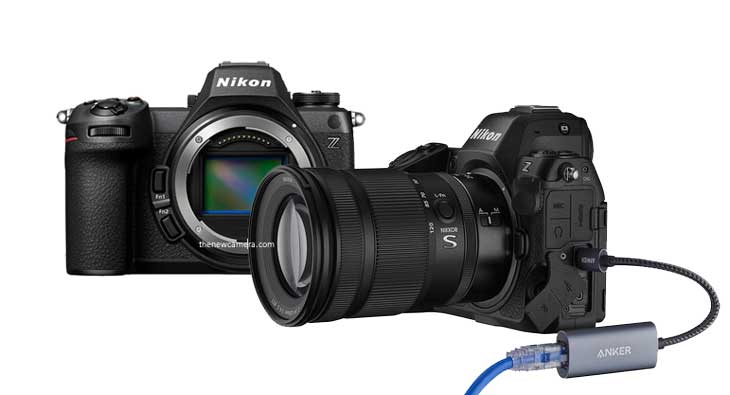
Firmware version 2.00 adds the Auto Capture function, which enables automatic shooting with pre-configured conditions. This allows users to specify the subject type, direction of movement, and shooting distance range*4 to capture previously difficult scenes, such as those that require shooting in places or positions where photographers would disturb their subject. The function is also equipped with a scheduling feature that allows the user to specify the day and time to initiate Auto Capture in advance, reducing battery consumption between camera setup and the start of shooting. In combination with a USB-to-Ethernet adapter*5, it enables high-speed data transfer even to remote destinations, meeting the high demands of professional environments.
Expanded Functions and Improvements to Operability
- An [Automatic monitor display switch] function for disabling the eye sensor when the vari-angle monitor is deployed has been added, a first for the Nikon Z series.
- A function that allows users to exit the zoom view with a half-press of the shutter-release button when the focus mode is set to manual has been added.
- Pixel shift shooting can now be used in combination with focus shift shooting or AE bracketing settings for more precise photographic expression than ever before.
- A [Recall shooting functions] option that allows users to recall previously stored settings – including shooting mode, shutter speed, aperture value, and ISO sensitivity – with the press of a button has been added to the roles that can be assigned to a custom control.
- Adds support for USB streaming (UVC/UAC), which allows the camera to be used as a webcam by simply connecting it to a computer or smartphone.
- By default, firmware updates are now installed automatically after the camera connects to Nikon Imaging Cloud (a note about setting the camera’s date and time has been added to the instructions for connecting to the cloud to prevent connection errors between Nikon Imaging Cloud and the camera).
- Operation has been simplified by automatically displaying an update confirmation dialog on the camera monitor after registering an imaging recipe in Nikon Imaging Cloud.
Nikon Z6III owners can visit the website here to learn more about the new firmware. Nikon will continue to enhance its products through firmware updates that address user needs, while also fostering an environment in which all photographers and creators can engage in creative and professional activities with confidence and peace of mind.


By admin, on July 12th, 2025

Panasonic Lumix S1 II vs. Nikon Z6 III – Which One Is the Best Camera for Photo and Video? Let’s explore which one is the Best Camera for you. Here is the verdict / quick recommendation whcihexplained in the later part of the video
Choose Nikon Z6 III for:
- For Photography, Nikon Z6 III is more recommended
- For 4K vlogging, travel, and run-and-gun videography, the Nikon Z6 Mark III is highly recommended
- Excellent for recording slow-mo video, starting from Full HD 240 FPS and 4K up to 120 FPS
- Projects prioritizing sharp 4K footage and high frame rates.
Choose Panasonic Lumix S1 II for:
- 6K cinematic video with Open Gate and ARRI LogC3 for High-End post-production flexibility.
- 6K documentary, When you actually need the 6K quality, Panasonic S1 II is more recommended
- for thermal management, built-in FAN, and advanced 32 BIT audio.
- Anamorphic in-camera De Squeez Frame.io integration.

| Feature |
Nikon Z6 Mark III |
Panasonic S1 II |
| Lens Mount |
Nikon Z |
L-Mount |
| Dimensions (W x H x D) |
5.5 x 4 x 2.9″ (138.5 x 101.5 x 74 mm) |
5.29 x 4.03 x 3.61″ (134.37 x 102.36 x 91.69 mm) |
| Weight |
23.6 oz / 670 g (Body Only) |
1.58 lb / 717 g (Body Only), 1.76 lb / 798 g (With Battery, Media) |
| Battery |
EN-EL15c Rechargeable Lithium-Ion (~360 shots) |
Rechargeable Lithium-Ion, 7.2 VDC, 2200 mAh |
| Operating Conditions |
32 to 104°F / 0 to 40°C, up to 85% Humidity |
14 to 104°F / -10 to 40°C, 10 to 80% Humidity |
| Media/Memory Card Slot |
Slot 1: CFexpress Type B / XQD, Slot 2: SD/SDHC/SDXC (UHS-II) |
Slot 1: CFexpress Type B, Slot 2: SD/SDHC/SDXC |
| Wireless |
2.4 / 5 GHz Wi-Fi 5 (802.11ac), Bluetooth 5.0 |
5 GHz Wi-Fi 5 (802.11ac) |
| Mobile App |
Nikon Imaging Cloud (Android/iOS, file access, firmware updates) |
Lumix Lab (Android/iOS) |
| Monitor |
3.2″, 2,100,000 Dot, Articulating Touchscreen LCD, Top Status Display |
3″, 1,840,000 Dot, Free-Angle Tilting Touchscreen LCD |
| Viewfinder |
Electronic, 0.5″, 5,760,000 Dot, 0.8x Magnification, -4 to +2 Diopter |
Electronic (OLED), 5,760,000 Dot, 0.78x Magnification, -4 to +2 Diopter |
| Video I/O |
1x HDMI Output |
1x HDMI Output |
| Audio I/O |
1x 3.5 mm TRS Stereo Headphone Output, 1x 3.5 mm TRS Stereo Microphone Input |
1x 3.5 mm TRS Stereo Headphone Output, 1x 3.5 mm TRS Stereo Microphone Input |
| Power I/O |
1x USB-C Input |
1x USB-C Input |
| Other I/O |
1x Nikon DC2 Data Input, 1x USB-C Data Output (Shared with Power Input) |
1x USB-C Data Output (Shared with Power Input) |
Still image comparison between Panasonic S1 Mark II, Nikon Z6 Mark III in JPEG mode – Image quality-wise, the Nikon Z6 Mark 3 camera can capture with more detail compared to the Panasonic S1 Mark II, and even considering the price and AI autofocus mode, the best investment should be the Nikon Z6 Mark 3.

Video Core Specification Comparison
| Feature |
Nikon Z6 III |
Panasonic Lumix S1 II |
| Max Video Resolution |
6K (6048 x 3402) @ 60p (RAW) |
6K (5952 x 3968) @ 29.97p, 5.1K (5088 x 3392) @ 60p (Open Gate) |
| 4K Frame Rates |
4K UHD (3840 x 2160) @ 120p |
4K (3840 x 2160) @ 119.88p, C4K (4096 x 2160) @ 119.88p |
| Slow Motion |
Full HD (1920 x 1080) @ 240p |
Full HD (1920 x 1080) @ 239.76p |
| RAW Recording |
N-RAW, ProRes RAW HQ (12-bit) |
Apple ProRes RAW (10-bit) |
| Compression Options |
ProRes 422 HQ (10-bit), H.265/HEVC, H.264/AVC (8/10-bit) |
Apple ProRes, H.264/MPEG-4 AVC, H.265/HEVC, HEIF (10-bit) |
| Log Recording |
N-Log, HDR (HLG) |
V-Log, ARRI LogC3 (with DMW-SFU3A upgrade) |
| Audio |
Linear PCM (48 KHz, 24-bit), AAC (48 KHz, 16-bit), 3.5mm mic/headphone |
LPCM (48/96 KHz, 24/32-bit), AAC (48 KHz, 16-bit), XLR via DMW-XLR2 |
| Max Recording Time |
2 hours 5 minutes |
Not specified (internal fan for extended recording) |
| Stabilization |
5-axis IBIS (8 stops) |
5-axis IBIS (8 stops), Active I.S., cropless mode |
| Additional Features |
Waveform, focus peaking, zebra, time code, e-VR, dual-format proxy |
Real Time LUT, Frame.io C2C, anamorphic desqueeze, full HDMI output |
| Weight |
1.5 lbs (675 g) |
1.76 lbs (800 g) |
| Dimensions |
5.47 x 4.02 x 2.91 in |
5.28 x 4.04 x 3.63 in |
Nikon Z6 Mark 3 and Panasonic S1 Mark II camera – Which is best for your videographic needs?

Nikon Z6 III captures more details in a video clip compared to the Panasonic S1 II
Based on videographic requirements, which camera is the best one for you? The Nikon Z6 Mark 3 camera delivers excellent 4K video quality, and the details are very sharp. You can also see the samples that have been attached to this page. The 4K details captured by the Nikon Z6 III are remarkably sharp. Panasonic Lumix S1 Mark II camera 4k samples, doesn’t carry that many details that which we can notice in the Nikon Z6 III camera.
What users are saying, those who have both the camera

The Nikon Z6 Mark 3 camera can capture 4K videos up to 120 frames per second, so that’s the best option we have if you wish to capture high-quality dance moves or action sequences in slow motion. The Nikon Z6 Mark 3 camera also offers the latest Nikon RED LUTs to put a cinematic feel inside your camera. The camera also offers waveform functionality and timecode support.
Why should you buy the Nikon Z6 Mark 3? If you are a content creator, travel blogger, street filmmaker, or even wedding cinematographer, and your requirement is limited to 4K video recording, then of course, the Nikon Z6 Mark 3 is more recommended for you.

At first, we were also confused when we saw the samples, since the Z6 III details are less compared to the Nikon Z6 III at 6K mode., but keep in mind since Nikon has unlocked the RAW mode of the camera, and the samples are clipped from RAW files not the in-camera processed mp4 that’s why the details visually less compared to the Panasonoc processed 6k MP4 file.

In 5k mode, when both are set at H.265, 10 bit, then as you can see, the Nikon Z6 III renders more details compared to the Panasonic S1 II camera.
Panasonic S1 Mark II Lacks RAW 6K Recording
The big problem with the Panasonic S1 Mark II camera is no RAW video recording mode is available at 6K and that creates a big confusion while comparing the clips of the camera that the S1 Mark II is generating a higher amount of detail, but the fact is the Z6 Mark III camera is giving us complete RAW footage, that’s why the details are soft in the initial inspection that can create confusion to any of us.
5K Comparison Shows Nikon Z6 III Advantage
But again, in 5K video recording mode, when you compare both the files or the clips of the camera, where none of them are recording in RAW format, then you can clearly see that Z6 Mark III camera details are much clearer.
Nikon Z6 III Offers 6K 60fps and 4K 120fps – But Misses Key Features
And since only the Nikon Z6 III camera is able to give us exclusively 6K 60 fps mode as well as 4K 120 fps mode, what we are missing inside the Z6 III is the anamorphic de-squeeze function as well as 32-bit float audio.
Which One Should You Buy – Final Recommendation
So to be very clear, for photography purposes, Nikon Z6 Mark III camera is the best option. Other than that, in videography purposes, if you’re going to shoot in anamorphic lenses and you have to use the in-camera de-squeeze functionality as well as you’re connected to post-production and your requirement is actually 32-bit float audio, in this specific scenario I am going to recommend you Panasonic S1 Mark II camera. Otherwise, Nikon Z6 Mark III is the best camera available at a lesser price and you should go with that camera.
Best camera for high-quality slow-motion video
Nikon Z6 Mark 3 is the straightforward answer. With this camera, you can record high-quality Full HD videos up to 240 frames per second. You can use it later in 10x slow-motion mode, delivering ultra-smooth, super slow-motion footage for a cinematic look. Other than that, the camera also offers 4K video recording up to 120 frames per second. So again, you are getting an option to record high-quality slow-motion footage—although you have to face a crop while recording at 120 FPS, but at least you get the option.
There is no such option present in the Panasonic S1 Mark II. It has advantages in its 6K mode, but yes—even in the 6K mode—it’s missing the 60fps frame rate which the Z6 Mark 3 is able to deliver.
Best camera for higher resolution Video
Please note, the Panasonic S1 Mark II does not offer RAW recording in 6K, whereas the Nikon Z6 Mark III offers full 6K RAW video, which gives more flexibility in post-production even if initial clips may look softer.
The Nikon Z6 Mark III offers 6K 60fps and 4K 120fps with internal RAW, but lacks 32-bit float audio and anamorphic de-squeeze support, making the S1 Mark II still a better choice if audio and anamorphic workflows are a priority.
Verdict – Best Camera for You
Choose Nikon Z6 III for:
- For Photography, Nikon Z6 III is more recommended
- For 6k 60FPS / NRAW video Nikon Z6 III
- For 4K vlogging, travel, and run-and-gun videography, the Nikon Z6 Mark III is highly recommended
- Excellent for recording slow-mo video, starting from Full HD 240 FPS and 4K up to 120 FPS
- Projects prioritizing sharp 4K footage and high frame rates.
Choose Panasonic Lumix S1 II for:
- 6K cinematic video with Open Gate and ARRI LogC3 + 32-bit Audio
- for thermal management, built-in FAN, and advanced 32 BIT audio.
- Anamorphic in-camera De Squeez Frame.io integration.
Stay Updated with TheNewCamera.com
At TheNewCamera.com, we’re dedicated to keeping you informed about the latest camera news. The article “Panasonic Lumix S1 II vs. Nikon Z6 III – Which one is the Best Camera for Photo and Video?” by thenewcamera.com team on 9:04 am Saturday, 12 July 2025 Greenwich Mean Time (GMT) | Follow us on our social pages FACEBOOK | TWITTER | INSTAGRAM to get live Camera News + Canon Rumors 24X7.
Credit Image Dpreview.com
By admin, on May 30th, 2025
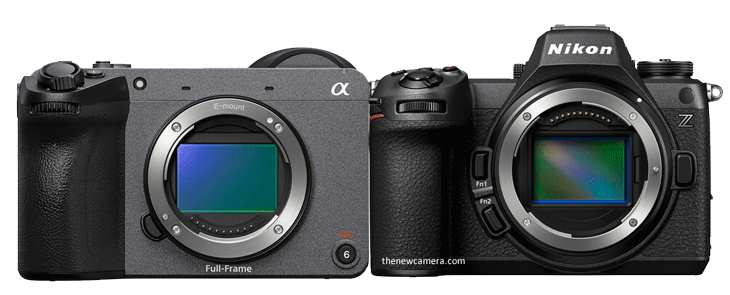
Sony FX2 versus the Nikon Z6 Mark III camera, let’s explore the differences between the two point by point
The Nikon Z6 Mark III camera is slightly larger, with a photography-friendly body and controls. The Sony FX2 does have a deep hand grip, but it has a somewhat boxy design. The thing that makes a big difference between the two, specifically in the design part, is that Sony is made for cinematography purposes and carries a lot of tripod threads all over the body to mount it perfectly in cinema rigs. The other advantage we have with the Sony FX2 camera is the moving viewfinder.
Nikon Z6 III and the Sony FX2 — both of them support dual card slots, one dedicated for CFexpress and one SD card slot. The Nikon Z6 Mark III monitor is slightly larger and of higher resolution, so users may experience better LCD quality with the Z6 Mark III camera. At the very same time, the electronic viewfinder is also a 5.76 million-dot unit compared to a 3.6 million-dot electronic viewfinder in Sony, but yeah, we are getting better display units in the Nikon Z6 Mark III.
The wireless functionality of the two is almost the same, but Nikon does have GPS support via smartphone to enable geotagging functionality for travel purposes, documentary work, or maybe for photojournalism purposes. The FX Mark 2 camera misses out. Although the humidity tolerance and the weatherproof criteria of both cameras match each other, so we literally do have almost the same build quality in both cameras.
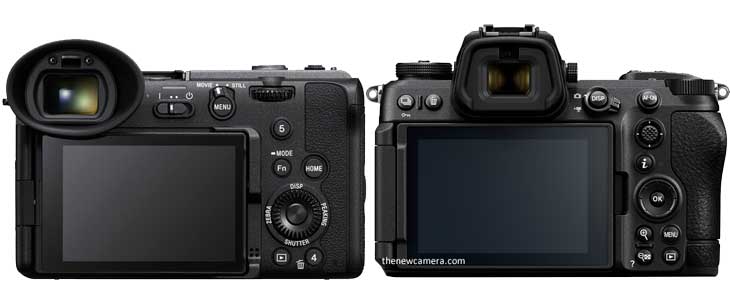
Design Comparison
| Feature |
Sony FX2 |
Nikon Z6 III |
| Lens Mount |
Sony E |
Nikon Z |
| Material of Construction |
Magnesium Alloy |
Magnesium Alloy |
| Dimensions (W x H x D) |
5.1 x 4.1 x 3.1″ / 129.7 x 103.7 x 77.8 mm |
5.5 x 4 x 2.9″ / 138.5 x 101.5 x 74 mm |
| Weight |
1.3 lb / 594 g (Body Only), 1.5 lb / 679 g (With Battery, Recording Media) |
23.6 oz / 670 g (Body Only) |
| Shoe Mount |
1x Intelligent Hot Shoe |
1x Hot Shoe |
| Tripod Mounting Thread |
2x 1/4″-20 Female (Bottom) |
1x 1/4″-20 Female (Bottom) |
| Accessory Mounting Thread |
3x 1/4″-20 on Camera Body |
Not specified |
| Operating Conditions |
32 to 104°F / 0 to 40°C |
32 to 104°F / 0 to 40°C up to 85% Humidity |
| Media/Memory Card Slot |
Slot 1: CFexpress Type A / SD (UHS-II)
Slot 2: SD/SDHC/SDXC (UHS-II) |
Slot 1: CFexpress Type B / XQD
Slot 2: SD/SDHC/SDXC (UHS-II) |
| Wireless |
2.4 GHz Bluetooth 5.0, 2.4 / 5 GHz Wi-Fi (802.11a/b/g/n/ac) |
2.4 / 5 GHz Wi-Fi 5 (802.11ac), Bluetooth 5.0 |
| Mobile App Compatible |
Yes: Android & iOS (Sony |
Creators’ App |
| Global Positioning |
No |
GPS (via Connected Smartphone) |
| Monitor |
3″ Tilting Touchscreen LCD, 1,036,800 Dot |
3.2″ Articulating Touchscreen LCD, 2,100,000 Dot |
| Viewfinder |
Electronic (OLED), 3,686,400 Dot / Titling EVF |
Electronic, 5,760,000 Dot, 0.5″ |
Best Camera for Photographers
Sony FX2 camera offers higher resolution at 33 megapixels, but at the very same time, the Nikon Z6 Mark 3 camera offers 24.5 megapixel resolution, which is of course limited. But if you talk about sensor architecture, then the Nikon Z6 Mark 3 camera is using a partially stacked CMOS sensor.
Video Recording: Nikon Z6 III Excels
Of course, the Sony FX2 camera is able to create highly detailed 4K 30fps footage from a 7K oversampled file. At the very same time, when you are recording videos at 4K 60 frames per second or 4K 120 frames per second with the Nikon Z6 Mark 3 camera—and of course, to be noted—4K 120 FPS is not possible with the Sony FX2 despite being in a higher price range. Other than that, even when you are trying to record 4K @ 60 frames per second, at that time you have to face a 1.5x crop in the Sony FX2. So with the FX2, we have limitations attached in the higher frame rate, and 4K 120 is not possible.
Continuous Shooting Speed Comparison
The same advantage we also get in the continuous shooting speed of the camera, where we are able to get up to 20 FPS RAW, and up to 60 frames per second in full resolution, and up to 120 frames per second in the DX crop mode. Thankfully, the Sony FX2 camera is using a mechanical shutter, but despite that, the continuous shooting speed of the camera remains limited to 11 frames per second.
Autofocus: Sony FX2’s Precision
When you dive into autofocus performance, each system really brings something different to the table. Sony’s FX2 boasts a whopping 759 phase-detection points (compared with Nikon’s 299 “hybrid” points), which means it can lock onto—and keep track of—moving subjects across with Sony’s famous AI AF. That’s a huge advantage when you’re shooting fast-paced street scenes or busy event coverage.
Nikon Z6 III’s Low-Light Autofocus
On the other hand, Nikon’s autofocus shines in low-light situations. With a sensitivity down to –10 EV (versus Sony’s 4 EV), the Z6 III can find and focus on subjects in near-darkness—perfect for late-night cityscapes, dimly lit weddings, or cozy indoor gatherings.
Autofocus Tracking: Nikon Closing the Gap
Recent reviews peg the Z6 III’s subject recognition and tracking as nearly on par with Sony’s vaunted system, so you’re not really “giving up” much by choosing Nikon—especially if you need that extra push in challenging light. Still, many pros continue to call Sony the gold standard for sheer reliability, so it really comes down to what kind of shooting you do most often.
Image Stabilization: Nikon’s Edge
Sensor-shift image stabilization of the Nikon Z6 Mark 3 is more helpful, since you can link your autofocus point with the VR system of the camera, and you will be getting a true 7.5 stops of stabilization all the time, even if you are focusing in the corner of the frame. Sony’s Active Image Stabilization is highly effective in video mode, but when you are talking about stills, it’s the traditional-style IBIS system we are getting.
Why Choose Nikon Z6 III for Pros
Nikon Z6 Mark III camera, due to its partially stacked CMOS sensor and Expeed 7 image processor, the autofocus calculation is being done at the rate of 120 frames per second in-camera. So the autofocus and the auto exposure refresh rate is actually 120 FPS. And due to the introduction of a new artificially intelligent autofocus algorithm inside the camera, the overall photographic experience is now elevated to the next level.
So if you are a professional photographer, then the Nikon Z6 Mark 3 will be a perfect choice for your requirements.
Photographic Features Compared
| Feature |
Sony FX2 |
Nikon Z6 III |
| Sensor Resolution |
Actual: 34.1 MP, Effective: 33 MP |
Actual: 26.79 MP, Effective: 24.5 MP (6048 x 4032) |
| Image Sensor |
35.9 x 23.9 mm (Full-Frame) CMOS |
35.9 x 23.9 mm (Full-Frame) Partially Stacked CMOS |
| Image Stabilization |
Sensor-Shift, 5-Axis, Active IS |
Sensor-Shift, 5-Axis, AF points can be linked to VR |
| ISO Sensitivity |
Native 100-51,200 (50-204,800 Extended) |
Photo: Native 100-64,000 (50-204,800 Extended) |
| Shutter Type |
Mechanical Focal Plane and Electronic Rolling Shutter |
Mechanical Focal Plane and Electronic Rolling Shutter |
| Shutter Speed |
1/8000 to 30 Seconds (Photo) |
1/8000 to 15 Minutes (Mechanical), 1/16000 to 15 Minutes (Electronic) |
| Continuous Shooting |
Not specified in the provided data (10 fps per web sources) |
Up to 20 fps at Maximum Resolution |
| Autofocus Points |
Photo: Phase Detection: 759 |
Photo, Video: Contrast Detection, Phase Detection: 299 |
| Autofocus Sensitivity |
4 to +20 EV |
-10 to +18 EV |
| White Balance |
2500 to 9900K |
2500 to 10,000K, Presets: Auto, Cloudy, Color Temperature, Direct Sunlight, Flash, Fluorescent, Incandescent, Shade |
| Image File Format |
Not specified (JPEG, Raw per web sources) |
HEIF, JPEG, Raw |
| Bit Depth |
Not specified (14-bit per web sources) |
14-Bit |
Best Camera for Video
When it comes to video, the Z6 III feels like a powerhouse that’s ready to stretch your creativity. Imagine being able to capture in gorgeous ProRes RAW—right inside the camera—at up to 6K/60p. With the help of the stacked CMOS sensor, the camera can record 6K 60fps videos. Despite being a consumer hybrid mirrorless camera, the Nikon Z6 Mark III is able to deliver 6K resolution, that is really a big surprise.
That means you’ve got room to push and pull your colors, tweak contrast, and hold onto every bit of shadow and highlight detail without worrying about external recorders or cables.
Nikon Z6 Mark III Slow-Motion Capabilities
And if you need silky-smooth slow-mo or a little extra resolution, you can jump into uncropped 4K/120p or even 1080p/240p modes. While shooting 4K 120 frames per second, you have to face a 1.5x DX crop, and when you are shooting 4K @ 60 frames per second, there is a negligible amount of crop, which remains unnoticeable.
Sony FX2 Video Features
Sony’s FX2 isn’t slouching, though. It delivers clean, 10-bit H.264/H.265 internally and will give you oversampled 4K/30p for sharp, detailed footage. If you really need that ProRes RAW goodness, you can use an external recorder via HDMI—but that means more gear hanging off your rig. And when you want to push the frame rate higher in 4K—meaning if you want to record your 4K videos at 60 frames per second—you have to face a 1.5x crop, and there is no 120 frames per second option available in the Sony FX2 while recording 4K videos.
Sony FX2 Live-Streaming Advantages
Where Sony shines is in its live-streaming chops: built-in RTMP/RTMPS and SRT support make it a dream camera for one-person streaming setups, whereas the Z6 III leaves you hunting for a separate encoder. Both cameras give you flexible picture profiles—N-Log on Nikon holds up beautifully alongside Sony’s S-Log 3 and S-Cinetone—but in professional circles, S-Log and Cinetone have built a bit more of a buzz.
Audio and Rolling Shutter Comparison
Don’t forget audio: both record in 24-bit LPCM, but Sony’s extra channels give you more mics or ambient tracks to play with. And if rolling shutter is a worry, Nikon’s stacked sensor really pulls ahead—its readout is faster, so you’ll see far less “jello” when you whip the camera side-to-side at 4K/60p or 120p.
Nikon Z6 III vs. Sony FX2: Which to Choose?
In short, if you’re a solo shooter who loves to color-grade, chase cinematic slow-mo, and keep your rig light, the Z6 III’s internal RAW and high-speed modes deliver. If you’re streaming live, mixing multiple audio sources, or don’t mind an external recorder for 16-bit RAW, the FX2’s built-in streaming and flexible codecs have you covered.
Video Comparison
| Feature |
Sony FX2 |
Nikon Z6 III |
| RAW |
16 BIT via HDMI |
12 Bit internally |
| MAX RES. |
4K 60p |
6K 60p N-RAW, 6K 30p ProRes RAW |
| Internal Recording Modes |
H.264/H.265 8/10-Bit:
UHD 4K (3840 x 2160) at 23.98/25/29.97/50/59.94 fps
DCI 4K (4096 x 2160) at 23.98/24/25/29.97/50/59.94 fps
|
ProRes RAW/ProRes RAW HQ/Raw: 6048 x 3404 at 23.98/25/29.97/50/59.94 fps
4032 x 2268 at 23.98/25/29.97/50/59.94 fps 3984 x 2240 at 23.98/25/29.97/50/59.94/100/120 fps
UHD 4K (3840 x 2160) at 23.98/25/29.97/50/59.94/100/120 fps
|
| Format and codes |
16 Bit RAW, 10-Bit 4:2:2 XAVC S-I |
12 Bit RAW, |
| 4k 60 FPS |
Yes, 1.5X Crop |
Yes, No crop at 4k 60FPS |
| 4K 120 FPS |
No |
Yes, 1.5X Crop |
| External Recording Modes |
4:2:2 8/10-Bit via HDMI:
DCI 4K (4096 x 2160)
UHD 4K (3840 x 2160)
HD (1920 x 1080)
Raw 16-Bit: 4672 x 2628 |
HDMI: UHD 4K (3840 x 2160) |
Dual Native ISO
|
Dual Base 800/4000 |
Dual Native ISO 800 |
| Built-in Fan |
Yes |
No |
| Video IS |
Very effective / Active IS + Gyro |
Mechanical IBIS + EVR |
| Fast-/Slow-Motion Support |
Yes |
Slow-Motion Only |
| Gamma Curve |
HDR-HLG, Rec709, S Cinetone, Sony S-Log 3, Standard |
HDR-HLG, Nikon N-Log |
| Anomorphic Lenses support |
Yes |
No |
| Audio Recording |
2/4-Channel 24-Bit 48 kHz LPCM
2-Channel 16-Bit 48 kHz LPCM |
16-Bit 48 kHz AAC Audio
2-Channel 24-Bit 48 kHz LPCM Audio |
| IP Streaming |
RTMP, RTMPS, SRT: 1280 x 720 to 3840 x 2160 at 25p, 29.97p, 50p, 59.94p |
No |
Buy Nikon Z6 Mark III from Amazon.com | B&H Camera store
Buy Sony FX2 From B&H Store
also see
Which one is the Best Camera for Recording Video – Panasonic Lumix S1 II vs. Nikon Z6 III?
Best Lenses for Nikon Z6 III
By admin, on April 15th, 2025
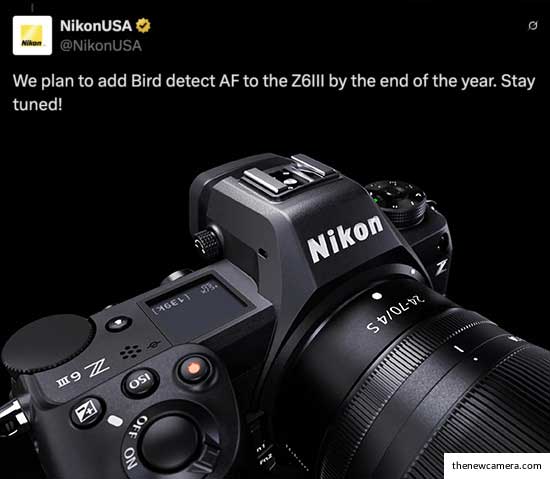
Today Nikon confirmed that bird eye autofocus mode is coming to the Nikon Z6 Mark III camera later this year in their social media post, that’s really great news since cameras like Nikon Z50 II, Z5II and Nikon Zf, which come at a lower price point than the Nikon Z6 III, now have bird eye autofocus mode. And Z6 III users are waiting for a long time to have it.
And we had reported back in November 2024 that Nikon is working on Z6 Mark 3 bird eye autofocus mode and they will roll it out as they are ready for it, and now we got the final confirmation from Nikon itself.
Best Lenses for Nikon Z6 III
Follow us on our social pages FACEBOOK | TWITTER | INSTAGRAMto get live Camera News +Nikon Rumors 24X7
By admin, on February 27th, 2025
Due to the growing pressure of Panasonic’s recent camera announcement, models like S5, S5IIX, and S1R II intensifying the market competition with built-in professional video graphics features like an anamorphic de-squeeze setter, angle waveform, and a lot of features that professionals in videography would love to have in their cameras. But again, they also have some limitations, like the first generation of hybrid autofocus system, which is not as good as the other brands. But, the recent set of feature upgrades announced by Nikon for the Nikon Z6 III and Z8, give us a clear hint that Nikon is consdering Lumix as their main competitor, and upscaling their camera features o match or surpass Panasonic’s advanced videography capabilities, catering to both professional filmmakers and hybrid shooters.
Nikon’s Interest in Cinematography
We all know that Nikon is now more interested in cinematography since it acquired the RED camera division. It is a bit more serious about filmmaking and enhancing videography for cinematographic features in its consumer professional mirrorless cameras.
Nikon’s Recent Firmware Update
In addition to that, in a recent firmware update, Nikon has updated the N-Log of the Z6III, reducing noise in the dark areas of N-Log videos. They have mentioned this in the recent update, so it’s a kind of major update that UPSCALES the N-Log video recording of the Z6III camera.
Shutter Angle and New Features in Nikon Z6III & Z8
Apart from this major update, 15 steps of shutter angle from 5.6 degrees to 360 degrees have been added in the Z6III and Nikon Z8 cameras.
Apart from these two major updates, a lot of various custom control settings have been added, like selecting the color of the zebra pattern that includes black, grey, red, green, blue, etc. A waveform monitor—which was not available in the previous generation of their cameras—has also been added.
At the same time, high-resolution lossless zoom has also been added. If you are creating your videos and experimenting with your FX camera, then the digital high-resolution lossless zoom feature is available to you.
Download the latest Nikon Z6 III firmware update
Download the latest Nikon Z8 Firmware update
Follow us on our social pages FACEBOOK | TWITTER | INSTAGRAM to get live Camera News + Nikon Rumors 24X7
By admin, on November 11th, 2024
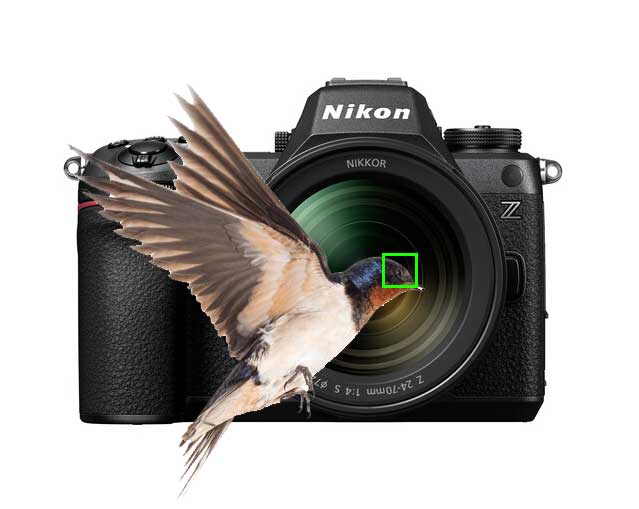
So in the latest update, we have that Nikon is currently working on the implementation of bird eye autofocus mode in the Nikon Z6 Mark III camera since the camera doesn’t have that particular mode, and many wildlife photographers are disappointed with this.
They have become more disappointed after the release of the Nikon Z50 II, which does have a birds-eye autofocus mode under the $1000 price range.
But not to worry, since, as per the latest information coming out from @Jan Wegener’s YT Channel, Nikon Japan is listening to us, and very soon in upcoming firmware updates, they will add the bird eye AF feature in the Z6 III camera.
Best Lenses for Nikon Z6 III
Follow us on our social pages FACEBOOK | TWITTER | INSTAGRAM to get live Camera News
By admin, on July 24th, 2024
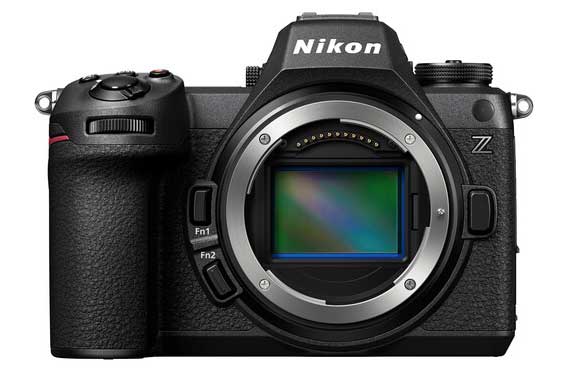
Nikon’s president, in an interview, confirmed that they will focus more on the video quality of their upcoming products. Thanks to RED Corporation, the quality of professional cinema cameras will be brought down to Nikon consumer-level cameras. Who knows, shortly, Nikon may also announce a new range of cameras that will feature both RED and Nikon branding.
Take a look at he said
Nikon President Yoshiaki Tokunari said in an interview that “video performance is required in recent years” regarding the company’s main camera business, and expressed his intention to expand market share by incorporating video technology from a US movie camera company that Nikon acquired this spring. Regarding recent sales trends, he said, “We are seeing signs of recovery in interchangeable lens cameras.” By region, he explained, “China has grown to the same level as Europe, and the growth rate is large in emerging countries such as South Asia.” Semiconductor exposure equipment, which Nikon and Canon handle, is an industrial machine that burns circuits onto silicon plates. Plans for new semiconductor factory construction across the country are a tailwind, and Tokunari expressed his enthusiasm for expanding sales, saying, “There are business opportunities.
This is very good news, as Nikon is now open to many new possibilities. They already have an open mount, allowing for a wide range of lenses, and now they are focusing more on improving the video capabilities of their consumer-level cameras. Last year, they saw a 1.5% growth in overall operating profit, and experts predict they will achieve at least 1.5% to 2% growth in the future.
Follow us on our social pages FACEBOOK | TWITTER | INSTAGRAM to get live Camera News + Nikon Rumors 24X7.
source – nr.com
|
KEEP THIS BLOG ALIVE - Support New Camera Buy Canon Lenses, Buy Music CD or Digital Camera at amazon it helps this site, and you do not pay anything extra, it is just a way to help support this site.

|