
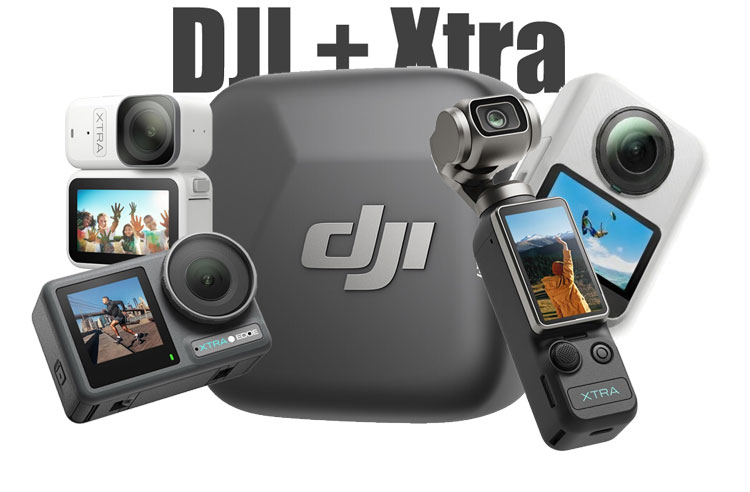
If you’ve been eyeing an Xtra camera but held back because of “no wireless mic support”… stop scrolling. Since a major firmware update was dropped in February 2026, every single Xtra camera — including Xtra Muse, Xtra Atto, Xtra Edge Pro, Xtra Edge, and Xtra Sphera360 can now connect wirelessly to DJI Mic Mini and DJI Mic 2.
So technically, this firmware update solves everything – specifically for a DJI user, those who were actually a little confused about getting an Xtra Muse or Xtra action camera due to ecosystem synchronicity. But right now, we have the same – the same – ecosystem as DJI, supporting the Xtra range of cameras.
And now the Xtra Muse becomes an excellent deal compared to the DJI Osmo Pocket 3, thanks to full ecosystem support.
The Firmware Update Creators Have Been Waiting For
The Xtra Muse is an almost exact copy of the DJI Osmo Pocket 3, but the only missing link was the ecosystem. A wireless mic pairing was not available with the Xtra Muse before the firmware update. Now, after the update, the camera has become an amazing alternative to the Pocket 3 at a lower price.
With this update, take a look wat hat you are getting:
- DJI Mic Mini pairs instantly via Bluetooth.
- DJI Mic 2 works with full 32-bit float audio — the same pro-level protection against clipping you get on real DJI gear.
- Live audio meters pop up on-screen, exactly like the Pocket 3 or Osmo Action.
In short: Xtra just became a full member of the DJI audio ecosystem – at half the price.
Every Xtra Camera That Now Has Native DJI Mic Support
| Model | What It’s For | Killer Specs | DJI Mic Compatibility |
| Xtra Muse | Pocket vlogging & travel | 1″ CMOS, 4K/120fps, 3-axis gimbal | Mic Mini + Mic 2 (32-bit float) |
| Xtra Atto | Tiny POV & hands-free | 54g, 4K/60fps, 220-minute battery | Mic Mini + Mic 2 |
| Xtra Edge Pro | Rugged action & adventure | 1/1.3″ sensor, 4K/120fps, tough build | Mic Mini + Mic 2 |
| Xtra Edge | Everyday action cam | Compact, reliable all-rounder | Mic Mini + Mic 2 |
| Xtra Sphra360 | Immersive 360° content | True 8K panoramic, 1″ equiv. sensors | Mic Mini + Mic 2 |
Whether you’re filming solo vlogs with the Muse, running trails with the Atto, or capturing mind-blowing 360 with the Sphera360, your audio just went pro.
How to Connect the DJI Mic Mini to Any Xtra Camera (Takes 20 Seconds)
Creators are calling this the easiest pairing they’ve ever done. Here’s exactly how:
- Update firmware (see next section).
- Turn on your DJI Mic Mini (or Mic 2 transmitter).
- On the Xtra camera: Settings → Wireless Mic → Connect.
- Put the mic in pairing mode.
- Tap Pair on the camera screen.
- Done. Audio bars (1–5) appear immediately.
It feels 100% like using a native DJI camera. Many say the clean green Xtra menu actually looks better.
How to Get the New Firmware (Super Simple)
Pro tip: This update is only available through the Xtra app right now — not on the website.
- Download/open the Xtra app on your phone.
- Connect your camera via Wi-Fi or cable.
- Look for the firmware notification (it started rolling out late last night).
- If you don’t see it, force-close the app and reopen.
Update takes 2–3 minutes. Once done, the “Wireless Mic” menu magically appears.
This is all about the Xtra update — you can now have full synchronicity with DJI Mic Mini and DJI Mic 2, and that’s the best part of this firmware update. From now on, there’s no further hesitation in picking an Xtra product, since they are available at a much more affordable price compared to the DJI Osmo Pocket 3.
Insta360 Luna Pocket Camera Teaser Video: Beats DJI Osmo Pocket 4?

DJI Pocket 3 Best Alternative: Why Xtra Muse Tops the List in 2026